
Ergonomics
Desks, chairs, monitors and phones — build a workspace your spine will thank you for.
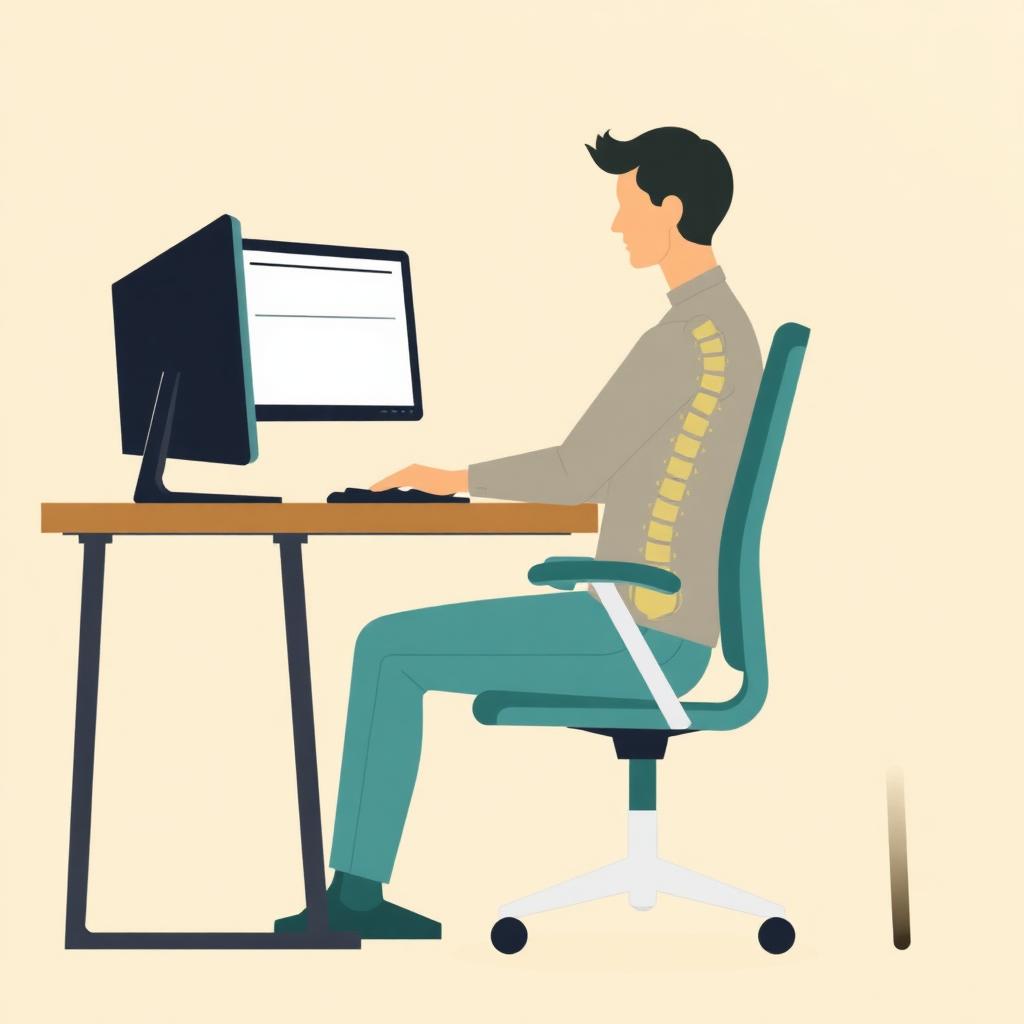
You can't stretch your way out of a bad desk setup. Ten minutes tuning your workspace pays back every day.
The core rules
- Feet flat on the floor or a footrest
- Knees at 90°, thighs parallel to the floor
- Elbows at 90°, wrists neutral, shoulders relaxed
- Monitor top at eye level, arm's length away
- Documents and phone within arm's reach
Chair
Not every chair needs to be a $1,200 Herman Miller. Look for adjustable seat height, lumbar support, and armrests that let your shoulders drop. A rolled towel behind your low back works in a pinch.
Monitor and laptop
Laptops are ergonomically hostile — you can either type comfortably or see the screen comfortably, not both. Fix it with:
- A laptop stand + external keyboard/mouse, or
- A second monitor at proper height
The dual-monitor rule
If you use one monitor primarily, center it. If two are used equally, split them at the seam. Constant neck rotation toward a secondary monitor is a slow-cook recipe for neck pain.
Phone and headset
Never cradle a phone with your shoulder. Bluetooth or wired headset, always.
Standing desks
Not a cure-all. Alternate roughly 1:1 sitting to standing, wear supportive shoes, and use an anti-fatigue mat. Standing all day causes its own problems.
The reset habit
No ergonomic setup replaces movement. Set a 45-minute timer and do the 90-second desk reset. Even the best chair is bad if you sit still in it for 8 hours.
Educational information only — not medical advice. Consult a licensed chiropractor or physician for care.
Get real relief for ergonomics at The Joint Chiropractic Rosemead.
See a licensed chiropractor today. $29 New Patient Special — exam, consult & first adjustment. Walk in — no appointment needed.